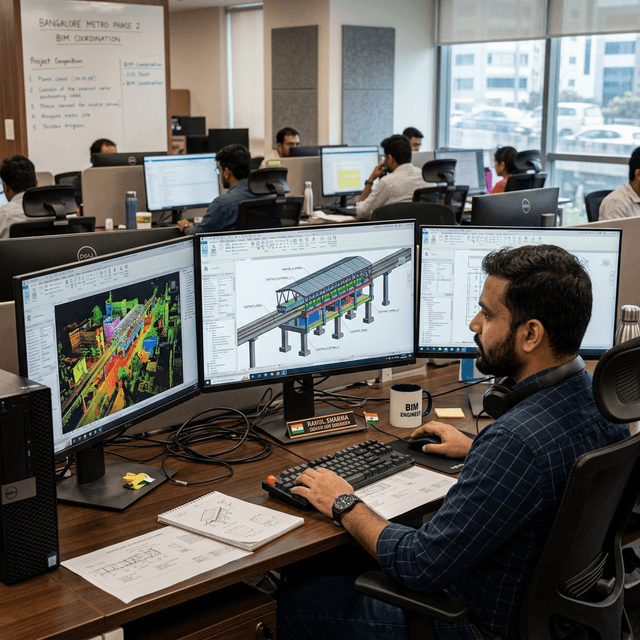
The journey from a raw E57 point cloud file to a clash-detected, LOD 350 Revit model is one that many clients ask about. Here is our exact process — step by step.
Why Workflow Matters in Scan-to-BIM
Scan-to-BIM is not a button you press. It is a disciplined, multi-stage workflow where decisions at each step cascade into the quality of the final deliverable. A poorly registered scan contaminates the entire BIM model. A model built without understanding the scan data's accuracy limitations misleads engineers who trust it for design decisions.
GESIX has handled scan-to-BIM engagements across railway stations, industrial plants, highway bridges, and heritage buildings. This article documents our standard 7-step workflow.
The 7-Step Workflow
Field Acquisition
FARO Focus or Leica RTC360 scanner deployed at planned stations. Targets placed for registration. Raw .FLS or .RCP files captured.
Registration & QA
SCENE or Cyclone REGISTER 360 used for multi-scan registration. Target residuals confirmed below 3mm. Registered project exported to unified E57.
Import to Autodesk ReCap
E57 imported into ReCap Pro. Point cloud indexed into RCS format. Coordinate system set to project CRS. Clipping regions defined.
BIM Setup in Revit
Revit project template with survey origin anchored to shared coordinates. RCP linked via Manage → Coordinate → Acquire Coordinates.
Modelling from Scan
Structural elements modelled by tracing over point cloud slices. Section boxes isolate each element. Custom concrete families for as-found geometry.
Deviation Analysis
Dynamo script computes point-to-element distances. Elements beyond ±10mm tagged as deviated — reported in a colour-coded PDF.
QA & IFC Export
Model QA: clash detection, element completeness, property set population. IFC 4 export for client delivery.
Common Pitfalls
Forgetting shared coordinates
Linking the point cloud to the wrong origin means the model is spatially meaningless. Always Acquire Coordinates from the survey control file before linking RCP.
Modelling through scan noise
Scan noise near glass, water, or highly reflective surfaces reads as false geometry. Always view the scan in intensity mode before modelling complex surfaces.
Over-trusting cloud-to-cloud registration
Flat, repetitive surfaces (decks, tunnel linings) register plausibly but incorrectly in cloud-matching algorithms. Always use physical targets for primary registration in infrastructure.
Software Stack We Use
Registration
FARO SCENE / Leica Cyclone REGISTER 360
Point Cloud Processing
Autodesk ReCap Pro
BIM Modelling
Autodesk Revit (latest)
Deviation Analysis
Dynamo + custom Python script
IFC Export
Revit native IFC exporter (OpenBIM)
QA & Clash
Autodesk Navisworks Manage